

Simplifying a tablet or iPad for youth use
Your One Step:
✓ Take steps to simplify your child's tablet or iPad
It's important to tread carefully with iPads and tablets - they are basically giant smartphones and are often the first gateway into texting, the internet, inappropriate media, and addictive apps. At ScreenSense, we recommend delaying access to tablets (or taking a hard pass on them) because they often cause more parenting headaches than they’re worth. Instead, prioritize the essential in-real-life nutrients of childhood - like sleep, movement, imaginative free play, boredom, and face-to-face connection. For a young child's screen time, watching PBS Kids shows on a family television is superior to iPad time using different apps.
If you do introduce an iPad to your child, an intentional setup and clear boundaries are essential.
A simple set up is key!
Tablets are set up by default with too many apps and features. More apps and features on a tablet means MORE parenting for you plus more temptation and risk for your child.

To set up an iPad for a young user, be sure to use their own Apple ID (not a parent’s) so you can make the most of Apple’s Screen Time controls and Family Share. To simplify your parenting role, remove access to internet browsers, video games, YouTube, and social media. Only install carefully selected apps (find ideas below) and then remove the App Store. You can modify our instructions for Simplifying iPhones for an iPad.

You can set up a tablet as a family TV: Remove all apps that come on the tablet (including any internet browsers like Safari), add only the PBS kids app if you have young kids, and then remove the App Store. Additional guardrails to consider: Set time limits, set up downtime (i.e., specific hours it’s unavailable), or make it only accessible with parent permission (by setting downtime from, say, 8am-7:59am daily).

To set up an Android tablet for a young user, be sure to set up their own Google account first and link to yours via Google Family Link. Use Google Family Link to set time limits, block apps, and manage content restrictions, ensuring a safer experience. To simplify your parenting role, remove access to internet browsers, video games, YouTube, and social media. Only install carefully selected apps (see ideas below) and then remove the Google Play Store. For more, click here.
Content matters!
Choose content as carefully as you would a babysitter.
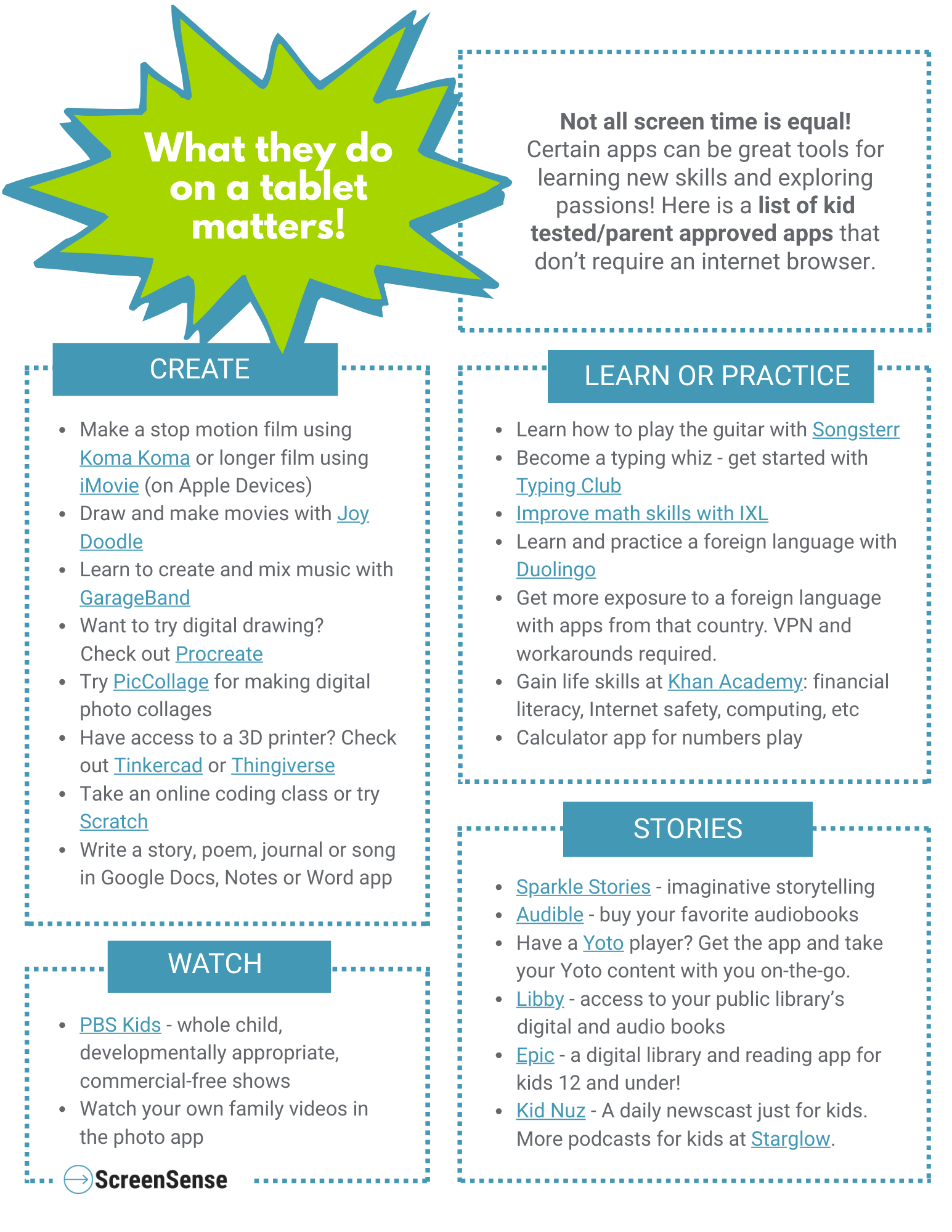
We recommend choosing long-form stories, shows, and movies, and/or apps that foster learning and creativity. We've collected a list of kid-tested and parent-approved apps to make the decision-making easier!
Set Clear Boundaries
In general, in elementary school, we recommend using tablets sparingly, not as a daily routine. Setting limits around tablet use depends on the age and maturity of your child.
Here are some rules and limits around tablet use that can help keep tech in check:
Set time limits with parental controls. Don’t let tablet time crowd out screen-free play, physical activity, reading, and sleep.
Contain tablet use to a common area - don't allow it in bedrooms and bathrooms.
Stow tablet out of sight when not in use and have your child ask for parent permission before using the tablet (not open access).
Avoid relying on a tablet as a babysitter, especially on errands and at restaurants. This deprives your child of life skill development. Instead make a tote bag with supplies and books to keep handy.
Avoid giving a child an iPad to calm or pacify them - this prevents their learning to self soothe. Being able to deal with boredom and tough emotions is a muscle kids need to develop without screens.

Collective action benefits everyone involved! If iPads and tablets are getting out of hand at your house, you aren't alone! It can help to come together with other parents and families to co-create boundaries. This can be in a small group of friends or as a grade or class. Share this handout on tablets with parents in your child's grade to start the conversation.
Here are a few collective action suggestions:
1. Agree to make in-person playdates and sleepovers iPad/tablet-free!
2. Give tablets a shared "bedtime"
3. Commit to delaying group texting until middle school
4. Collectively set similar limits on video games that kids play together