


Simple Phones & Watches
“Less is more.”
At ScreenSense, we believe mobile communication devices are best when they’re simple. Simple phones and watches allow the upsides of basic communication (talk & text) while avoiding the downsides of problematic apps. As parents, there may come a time when we want to be able to communicate with our kids on the go, but at the same time want to avoid unnecessary risks, harms, and distractions so our kids are safe and healthy. When that time arrives, we suggest parents pause and follow the guide below to determine the best solution for their child and family. No mobile communication option is perfect, but we do have some choices.
On this page you’ll find:

Summary of Simple Phone & Watch Options
The matrix below helps parents understand the range of options and choose the least amount of tech to meet changing communication needs. The phones and watches below allow your child to stay in touch while avoiding unnecessary risks and needless distractions. Download the bilingual PDF with links below.
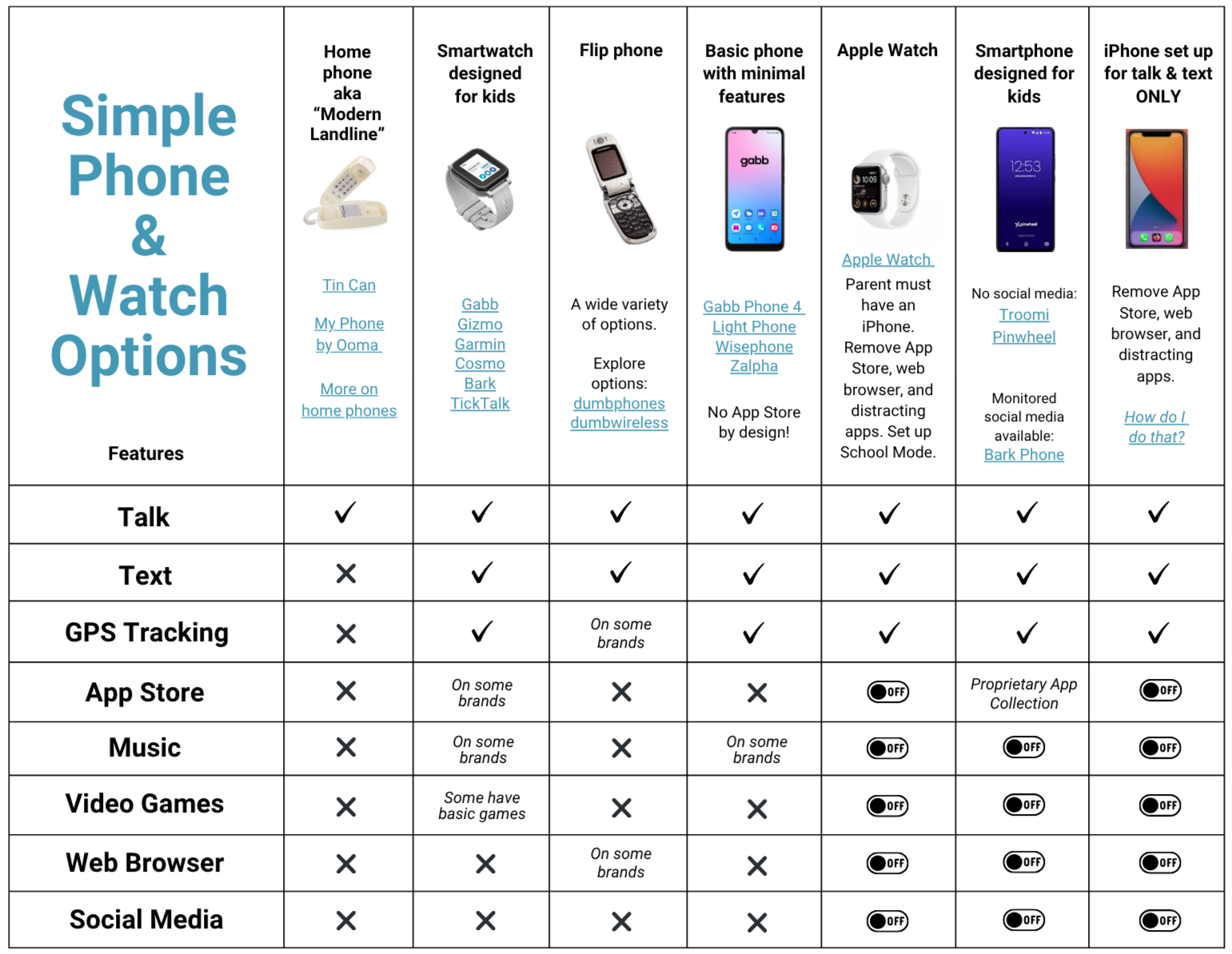
ScreenSense does not receive any compensation for listing products on this matrix of options. There are new products hitting the market all the time. If there is a product you’d like us to review, please send us an email.The matrix above shows devices ranging from a home phone to a stripped-down iPhone for talk and text only.
A check mark (✔) indicates a feature is available on the device.
An X indicates that feature is not available on the device, by design.
The toggle icons (in black) that all say OFF indicate additional features that are available on the device but need to be turned off in order for that device to be “simple.”
Basic features like calling and texting can meet the communication needs of growing children and families, and many products can be set up without the additional features and apps that often become unhelpful distractions that keep youth fixated on their mobile devices. Keep in mind, Apple Watches and iPhones are designed for adults and are not “simple.” They require an increased level of understanding and management to be “simple” and to keep them in check. More on Apple products below.
When we say a mobile phone or smartwatch is “simple,” this is what we mean…
OK
On a watch or phone:
Talk & Text
Video calls
Location Services
Basic Tools
Like map, weather, calendar,
essential health monitors
NOT YET
On a watch or phone:
Social Media
Like Instagram,
Snapchat, TikTok, & Discord
YouTube
Internet browser
Video games
-
Take it slowly. Very, very slowly. If you think about slow-rolling mobile communication from age 0 to 18, a helpful framework to consider is:
- Home phone in elementary school - which typically meets early communication needs.
- Smartwatch in middle school - if communication on-the-go becomes essential.
- Simple mobile phone or stripped down smartphone in high school, gradually allowing more access over the four years as you see fit.
This approach helps you delay the complexity and downsides that come with mobile devices. A related delay tactic is to set up a “family” smartwatch or basic mobile phone that your child can borrow for occasional on-the-go needs. For help with an intentional mobile device roll out, visit Giving a First Phone.
- Keep it simple! More apps and features on a mobile device means MORE parenting headaches for you plus more distraction and risk for your child. Delay unnecessary and problematic features (like social media, YouTube, mobile games, and internet access) - determine the essential need you’re trying to address, and provide the minimum tech to meet that need but nothing more. For example, if the need is to communicate with parents and friends, roll out a phone or watch that enables calling and texting only. Other apps and features can stay more contained on a less-mobile device at home.
- Check the default settings. Most phones are set up by default for “more access, not less” - so it’s important to know exactly what’s on the phone or smartwatch out of the box, and remove or adjust what you can. In other words, a phone or smartwatch must be set up for your child before handing it over.
- Take collective action so it’s easier to meet basic communication needs while avoiding harm. For example, see if parents around you want to get home phones (aka modern landlines) or pick the same basic phone or smartwatch so herd mentality flips toward the greater good! Find common ground and, at minimum, agree to keep phones and smartwatches simple until high school. See our phone pact for parents in Marin County, CA.
Together we can reclaim childhood for its developmental purpose: to play, be outdoors, develop life skills and competence, and spend time face-to-face with other people. A watch or phone should be a helpful tool to support these goals, not displace them.
Home Phones (aka the Modern Landline)
As kids grow more interested in their peers, many want a way to connect with friends and plan outings. The solution: the revival of the home phone or modern landline, reinvented for the digital age. Bringing back a home phone helps delay mobile phones and texting AND teaches phone etiquette and conversation skills!
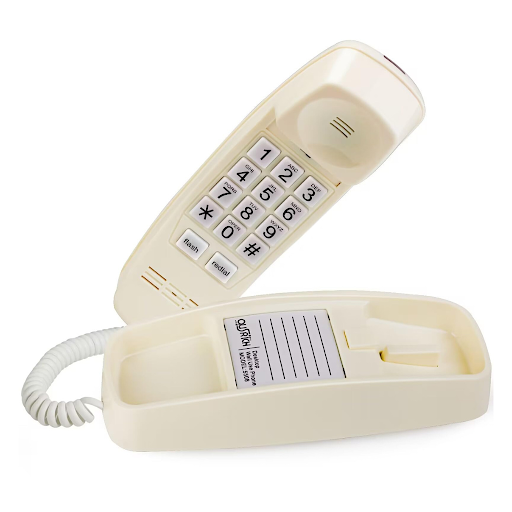
A home phone can meet budding social needs that start arising in elementary school and helps buy you some time. Remember, every six months you delay giving your child a mobile phone, the better! Check out our home phones blog post for more details about home phones!
Fostering Independence without a Phone
If your child is ready for more independence and you want to give it to them, here are some no-tech and low-tech options that don’t intrude on childhood as much as phones and smartwatches:
Identify trusted call spots for your child - Figure out what places would allow your child to call you if needed - e.g., school’s front office, public library, local store/business, community center, neighbor. Teach and role play with your child how to ask to make a call. Make sure they memorize your phone number! In addition, coach them how to ask someone for assistance when they are out and about - like a parent with a stroller!
Train your child to pop home to use the home phone to reach you - if logistically feasible.
Give your child a basic wrist watch with an alarm or timer- “Be back in an hour” works best if your child knows the time! An old-school watch develops self-reliance so your child can manage their time and know when to return home.
Try Walkie Talkies - Don’t laugh! We see these working as a first communication tool while kids are out and about.
Location Tracking - There are tradeoffs to tracking kids (read this). But if you want to track your child, we recommend Greenlight Safe Kids. We know many parents also use Apple AirTags, placing them on kids’ backpacks and shoes, but AirTags aren’t very reliable for precise tracking and are best for items, not people.
Karri Messengers- this new product enables voice messaging and GPS tracking. It’s designed to be less intrusive on childhood activities. It’s kind of like a modern walkie talkie!
Smartwatches for Kids
Smartwatches are basically wearable mini-smartphones with a range of features, depending on the brand. They let children make calls or send messages to approved contacts and allow parents to track their location. Models made specifically for kids typically limit access to the internet and social media, which can make them feel like a safer first mobile device. They can help with family logistics but may also push kids to early connectivity, over-reliance on parents, unintended distractions, and premature texting. Like any communication device, there’s a tradeoff between convenience and intruding on childhood activities.
Therefore, we recommend delaying smartwatches until middle school. A home phone or a family “loaner” smartwatch or mobile phone (set up properly for youth use) lent out for occasional use often meets changing communication or logistical needs and can help buy some time.
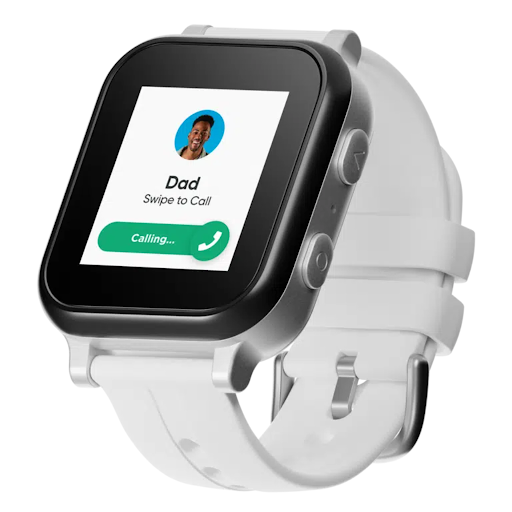
Like all forms of tech, the decision to introduce a smartwatch requires due diligence. Does it have access to video games? Social media apps? Internet browser? YouTube? Other gimmicks that are distracting? Does it have the ability to message friends? If the answer is yes to any of these, it can be just as distracting as a smartphone. Even smartwatches made for kids need a thoughtful set-up and ongoing monitoring.
An important watch-out! Smartwatches can be just as disruptive to the school day as smartphones. Make sure you know your school’s phone/smartwatch policy and that you support it.
In sum, smartwatches have upsides and downsides to carefully consider - they are often trickier to manage than parents expect. Pick the most basic product to meet your needs. Remember: with more tech features comes more parenting headaches.
Apple Watches Made Simple
Apple Watches are mini iPhones you wear on your wrist. We do not recommend Apple Watches in elementary school. Apple Watches are more complex than other smartwatches designed for kids, so they require a high level of proficiency and ongoing management from parents to be “simple.”
That said, with an intentional setup to minimize needless features and distractions, and with ongoing vigilance to notice glitches as they come up, the Apple Watch can be a reliable mobile communication device in middle and high school. We HIGHLY recommend reading the Complete Guide to Apple Watch Parental Controls from Protect Young Eyes to get your bearings and understand how this device works.
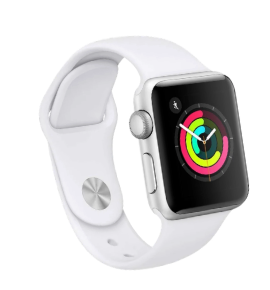
Apple Watches have a range of available features you can leave on by default or remove. While they do enable reliable communication, they are a powerful portal to the world so need to be set up with intentional guardrails. If you are hoping for more of a “set it and forget it” experience, an Apple Watch may not be the device for your family. Instead, find simpler communication options above.
Some basics for setting up an Apple Watch for talk & text:
Read this Apple Watch tutorial to help with set up
Set up the Apple Watch with your tween’s own Apple ID (not a parent’s), using their correct birthdate
Activate Schooltime
Schedule Downtime
Turn off notifications as much as possible
Remove the App Store
Remove access to mini built-in web browser (Safari) via Screentime Controls. This removes potential access to YouTube, social media links, and mobile games.
Expect an iterative set-up process that involves some trial and error. If you’ve never had an Apple Watch yourself, we recommend wearing your child’s Apple Watch for a few hours to pressure test and troubleshoot its set-up, and to see first-hand how it feels to get notifications on your wrist. Explain to your child how you’re setting up their Apple Watch and ask them to inform you if the intended set-up glitches at any point.
An important watch-out! Apple Watches are just as disruptive to the school day as smartphones. Know the school’s device policy and make sure to support it.
Need help? Our Simplifying iPhones recommendations and tutorials can be adapted to set up an Apple Watch. Or consider a private consultation for personalized guidance or troubleshooting.
Basic Mobile Phones
More and more “basic” or “dumb” mobile phones are coming on the market for all ages. We’re collectively realizing that a mobile phone should be a helpful communication tool that supports our needs and values, not an “experience blocker” that disrupts a meaningful life.
Pick a mobile phone that meets your family’s or child’s basic needs with the least amount of added features. Each basic phone has different pros and cons, so do your homework!
One approach is to pick 2-3 options you’d be happy with and then consider having your tween or teen make the final choice so they feel included in the selection process. It’s also helpful to leverage collective action: see if you can pick the same basic phone with other parents from your child’s friend group, class, or grade.
Start with these searchable databases to find a flip phone or dumbphone that meets your needs:
Smartphone Free Childhood’s Phone Finder
As examples, these basic mobile phones come with minimal features and no App Store:
On the other hand, these more complex phones “designed for kids” come with vetted apps you can roll out or block as you see fit. These are more suitable for teens.
Bark Phone - Bark has social media that’s monitored so it’s similar to having an iPhone that allows more visibility
iPhones Made Simple
iPhones are a much more complex beast for parents to set up and manage. It’s best to play the long game and reserve this for high school if you can. If you choose an iPhone, how you set it up makes all the difference. Remember: with more content access comes more parenting headaches, more risk, and more distraction.
iPhones are designed and intended for adult use. Parents/caregivers need to know that choosing an iPhone for a child requires the parent to have:
a good amount of tech knowledge - or the willingness to learn
a high level of continued vigilance - since glitches happen regularly!
ongoing fortitude to keep the device simple and safe for youth use.
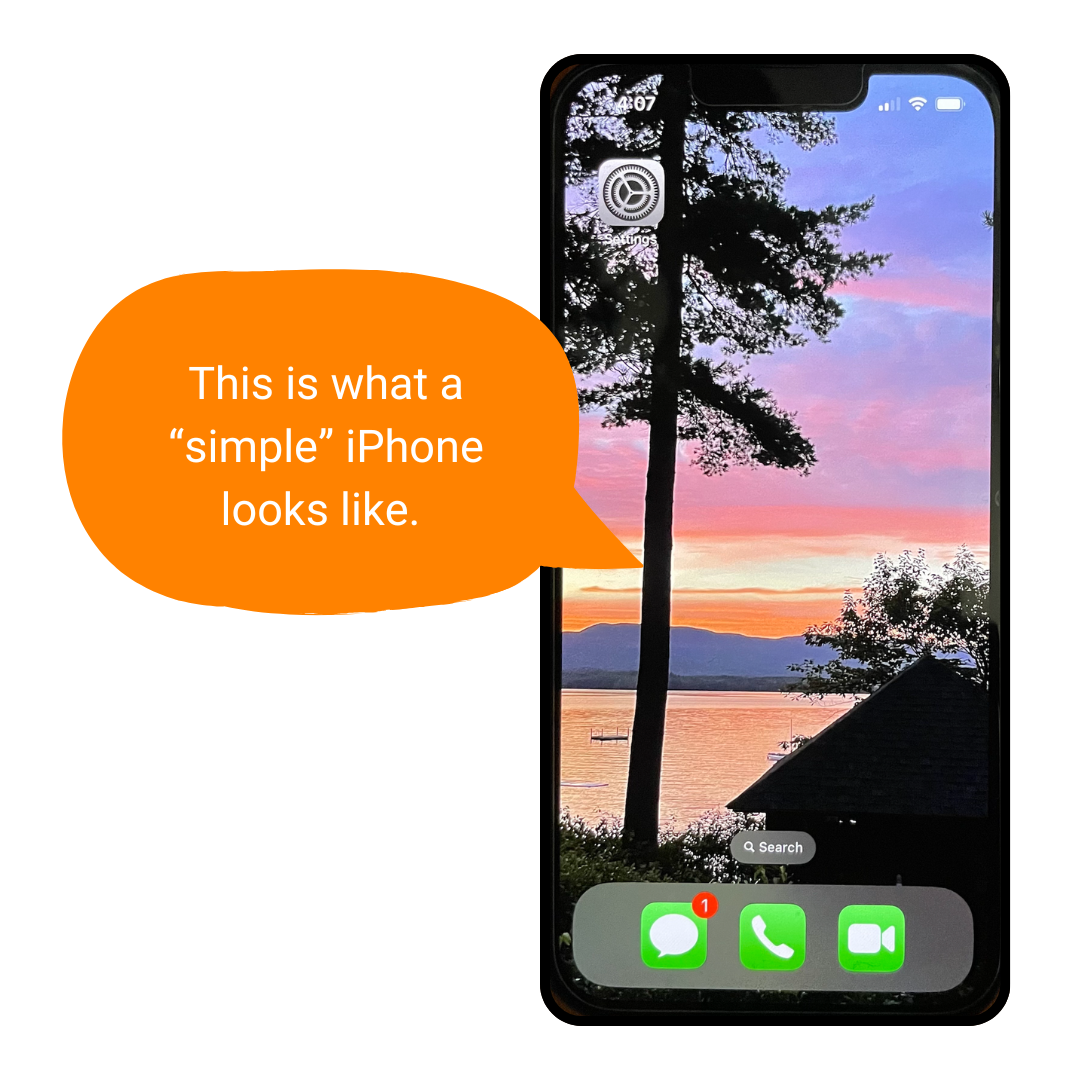
That all said, iPhones can be set up as a simple phone. You can enable only texting, FaceTime, and phone calls while choosing to remove the App Store, Internet access (e.g., Safari), as well as time-zapping apps like YouTube, video games, and social media. The key to success is removing the App Store!
To learn more, visit our comprehensive guide on Simplifying iPhones. There you’ll find our tutorial videos to help you step-by-step to set up a simple iPhone or reel in features on one that is already in use.
Have questions? Attend a Lunch & Learn!
Our virtual Lunch & Learn events are casual, bite-sized sessions on a specific topic like home phones, smartwatches, and iPhones. Each session features a focused 15–20 minute presentation, followed by plenty of time for open Q&A. Our 1:1 consultant and tech expert, Rebekah Cunningham, hosts these informative and lively sessions.

Pre-registration is required and we do not record these presentations. Space is limited to 20 participants to keep the conversation personal and interactive. To keep this valuable resource accessible to everyone, we do not charge but ask for a donation to support our work. Recommended donation to attend Lunch & Learn sessions is $25.
The schedule can be found on our events calendar.
Additional Resources
Explore more details about phone and smartwatch alternatives via these links from our allies:
From Wait Until 8th: short blurbs about various smartphone alternatives
From Turning Life On: updated comparisons of various options, including prices
From author Catherine Price: a blog dedicated to smartphone alternatives
From Smartphone Free Kids Monterey Bay: we love their phone buying guide