


Educator Resources
ScreenSense provides educators with resources to help families keep tech in check
ScreenSense has developed bilingual resources (in English and Spanish) to help parents and caregivers navigate tech decisions and screen time at home. Schools, as central pillars of a community, can support healthy tech use by directing parents and caregivers to the much-needed resources listed below.
4 ways educators can support parents
1. Share ScreenSense resources directly with parents and caregivers at your school:
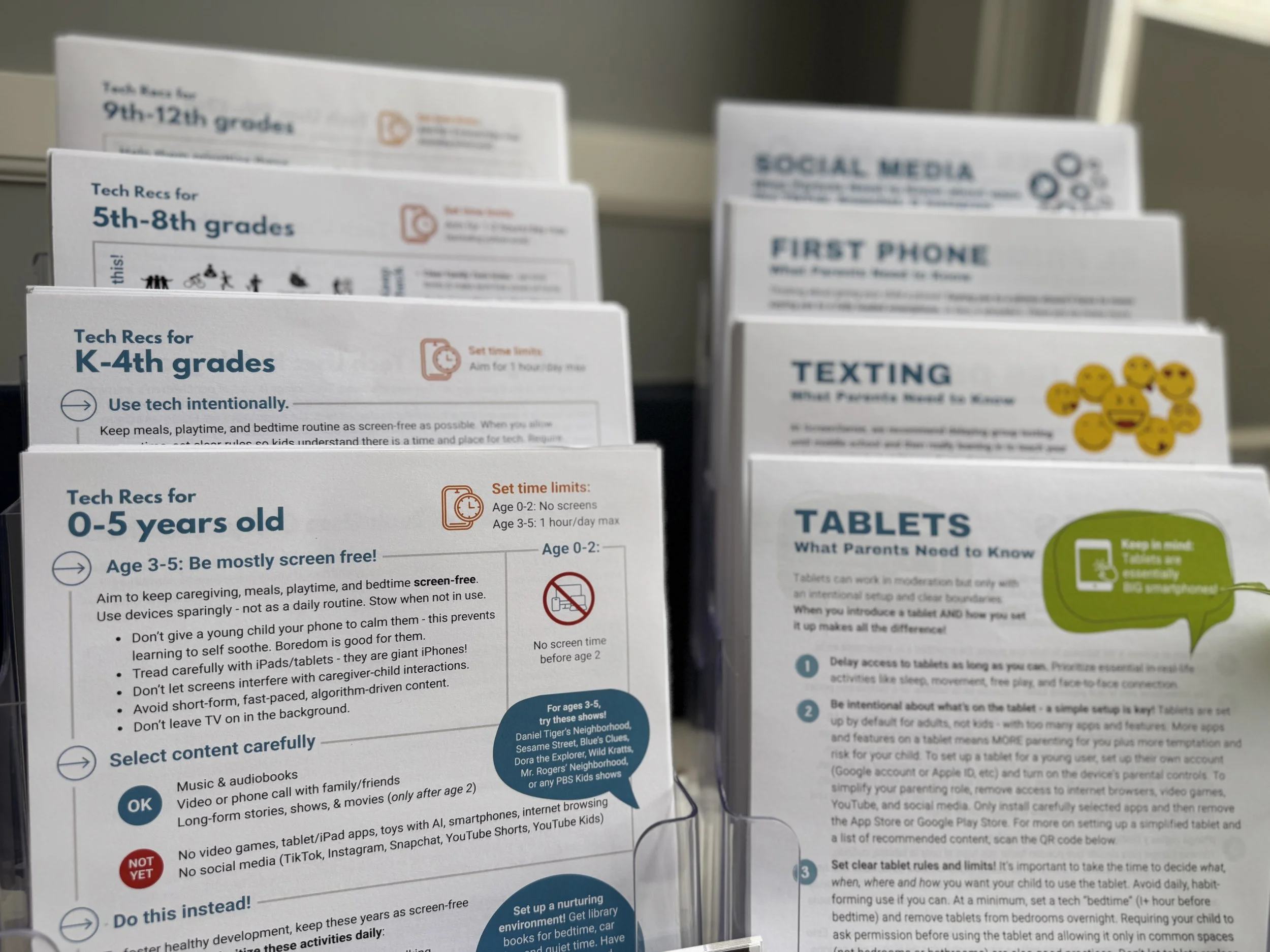
To guide families to age-appropriate tech use, start by directing parents to our Healthy Tech Use Guidelines. There you can find relevant handouts by age group or tech topic to distribute at Back to School Night, orientation events, parent-teacher conferences, or other school events.

To help parents manage school devices at home, you can direct parents to this webpage about managing school devices.

To help parents safeguard their child’s sleep (from overnight tech interruptions), you can direct parents to this webpage about protecting sleep. You can also distribute this handout to families.
2. Make sure staff at your school are aware of the Healthy Tech Use Guidelines available from ScreenSense - including your administration team, school librarian, school counselors, teachers, and PTA liaisons. Think of ScreenSense as your school’s partner when it comes to helping parents manage screen time at home - any of your staff can redirect parents to our resources. Download this one-page overview to share with colleagues.
3. Consider bringing one of our parent education programs to your school community. You can also encourage parents to attend parent education events we’ve already scheduled - we regularly offer virtual sessions to help parents navigate various tech topics like tablets, smartwatches, group texting, iPhones, and so forth.
4. If you’re a school in Marin County, CA, leverage our county-wide efforts to support healthy tech use among local families.
Invite parents at your school to attend our countywide parent ed events in partnership with Marin County Office of Education (MCOE) - find details and fliers on our parent ed events calendar. You can also find recordings of our prior parent ed events hosted by MCOE.
Invite parents at your school to join the Kids IRL Phone Pact if they’d like to delay smartphones and social media with other parents at your school and across Marin. Read about progress at one local middle school that rallied behind the phone pact.
Invite parents who may want to get involved with Kids IRL action to consider becoming a Kids IRL school ambassador. We host monthly meetings to exchange ways to bring this work to life in each school community.
4 ways educators can keep tech in check at school

Commit to a bell-to-bell phone-free school day so school is reclaimed for teaching, learning, and socialization. Both students and teachers deserve a school day free from the distractions and pressures of personal devices.

Teach digital wellbeing to students - so they become savvy consumers who use digital tech in ways that support (rather than hijack) their attention, connection, play, and real-world living.

Ask important questions about school devices & EdTech - How do your current uses of digital tech strengthen or weaken students’ hard skills (like reading and math outcomes) and soft skills (like critical thinking and executive functioning)? Is your tech implementation plan achieving what it was meant to? Review our list of suggested resources to get you started.

Infuse more IRL time in the school day - since school is fertile ground for face-to-face connection, social learning, and play. A heaping dose of IRL nutrients is today’s antidote to excess screen time!
We can be your sounding board.
School admins don't have to navigate the shifting tech landscape alone. ScreenSense can act as a trusted sounding board, helping leaders think through tough calls on devices, screen time, and digital wellbeing, so every decision is confident and informed.
Reach out to us anytime at info@screensense.org